How to playback and export video using a NVR or DVR

How to playback, and export video using a NVR or DVR

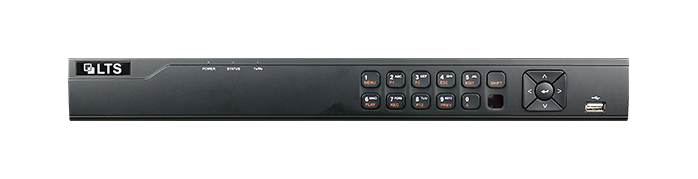
Learn how to easily playback and export video footage using the LTS Security Digital Video Recorder (DVR) and Network Video Recorder (NVR) Web GUI’s. Our user-friendly manual provides step-by-step instructions and helpful visuals for managing and utilizing your product. 

This Manual is only applicable to the LTS Security Digital Video Recorder (DVR) and Network Video Recorder (NVR).

The Quick Start Guide includes instructions for using and managing the product. Pictures, charts, images and all other information hereinafter are for description and explanation only.

The information contained in the Manual is subject to change, without notice, due to firmware updates or other reasons. Please find the latest version using the LTS Security company website.

Please use this user manual under the guidance of professionals

Click here to download the Quick Start Guide: Playback Video Guide

Sometimes we find it easier to export entire time periods when there is more footage to contend with.

Click here to download the Bulk Video Export Guide: Backup Video Guide
Share the Post:

Related Posts

How to access CGI Webmail

Discover the simplicity of accessing your CGI Webmail with our easy-to-follow guide! Whether you’re a first-time user or just need a refresher, we’ve got you covered. Learn how to log in, navigate the user-friendly interface, and explore features like managing SPAM and creating additional mailboxes. Plus, choose between the sleek Webmail Lite or the stylish Tuxedo interface, both designed to enhance your email experience. Need assistance? Our built-in help file and dedicated technical support team are just a call away. Dive in and unlock the full potential of your CGI Webmail today!

Read More

How to Setup Email on Windows – Outlook / Office 365

Are you ready to streamline your Email experience on Windows? Discover how to set up Microsoft Outlook, the preferred email client for managing your communications effortlessly. Whether you’re using POP3 or IMAP, our step-by-step guide will walk you through the installation and configuration process. From entering your email address to connecting securely, we’ve got you covered. Don’t let email setup be a hassle—unlock the full potential of Outlook and enhance your productivity today! Click to learn how to get started and make your email management a breeze!

Read More