

How to Setup Email on Windows – Outlook / Office 365

Setting up Email on your Windows device – Outlook / Office 365.

Microsoft Outlook is the “Microsoft preferred Email client” used to send and receive emails on Exchange Server or via POP3/IMAP Email. This application is included in Microsoft’s Office and Office 365 software suite. Outlook also provides access contact, email calendar and tasks. management features.

To add your Email to Outlook simply do the following:

1st things first, if you haven’t already installed Office Outlook, you need to install it first, bear in mind this is a PAID application… click here to go to the site where you can purchase it THIS LINK.

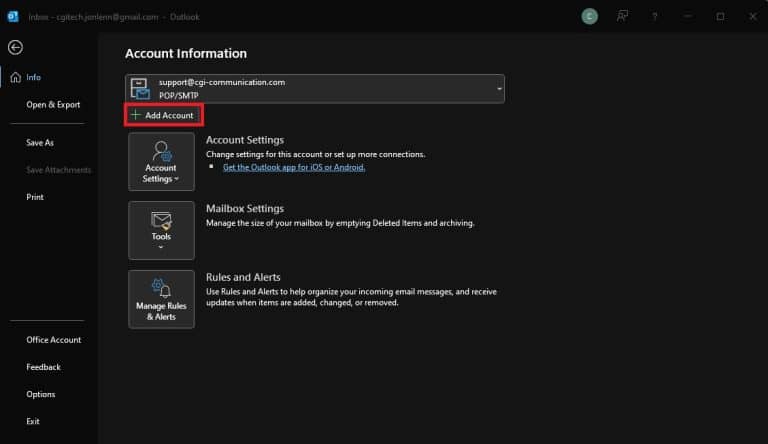
  1. Open Outlook Email. Click “File” in the top left. Then click “Add Account

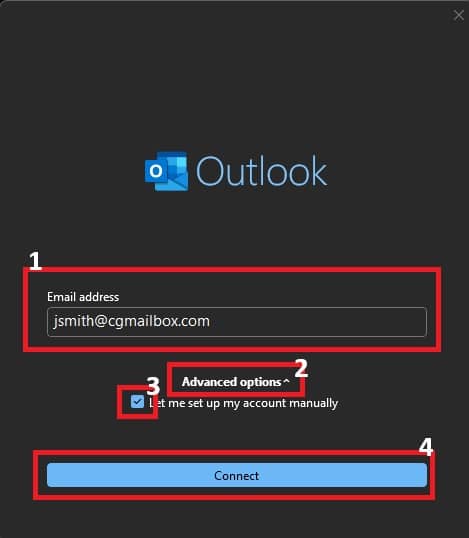
2. Enter your “Email Address“, then click on “Advanced Options“, then select “Let me setup my account manually“, then click “Connect“. 

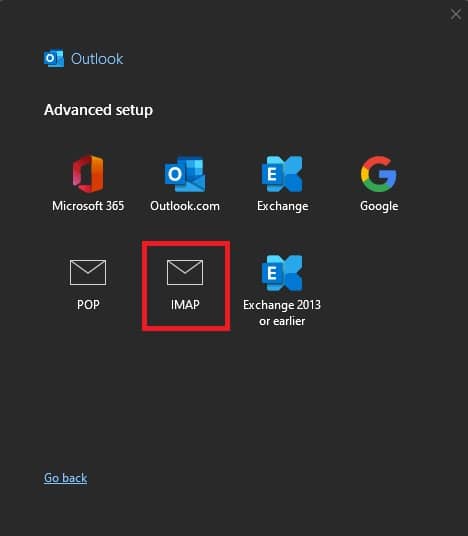
3. Click “IMAP“.

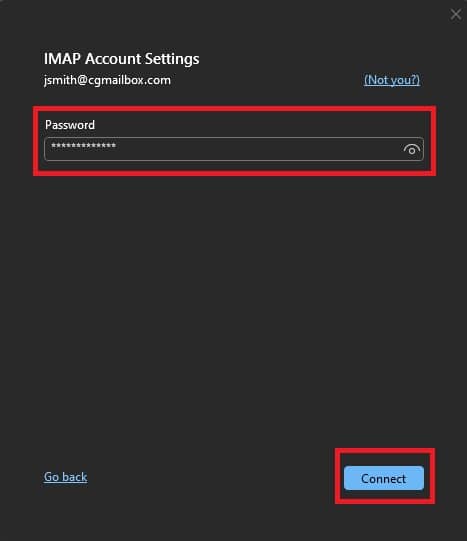
4. Enter your “Password“, then click “Connect“. It should find the settings for our server automatically.

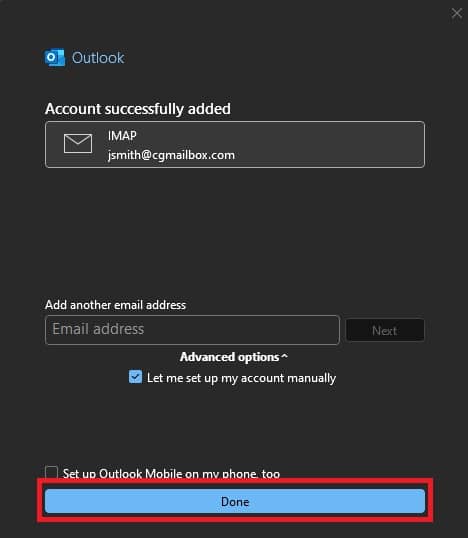
5. Click “Done” or add another email address.

That’s it! You’ve successfully setup your Outlook E-Mail client on your Windows device.

Share the Post:

Related Posts

How to Setup Email on Windows – Thunderbird

Are you ready to take control of your email with Thunderbird on your Windows device? This powerful, open-source application not only simplifies email management but also enhances your communication experience with its user-friendly interface and robust features. Whether you’re a seasoned user or new to email clients, our step-by-step guide will walk you through the installation and setup process effortlessly. Say goodbye to cluttered inboxes and hello to organized communication! Dive in to discover how to set up your email in just a few easy steps and unlock the full potential of Thunderbird today!

Read More

How to Setup Email on Android – Blue Mail

Are you excited about your new Android phone but frustrated by the lack of an email client? Don’t worry! Setting up your email is easier than you think, especially with Blue Mail, one of the most popular and user-friendly email clients available. This completely free app allows you to manage your emails effortlessly. In just a few simple steps, you can have your email up and running in no time. Ready to dive in? Let’s walk through the quick setup process and get you connected to your inbox today!

Read More