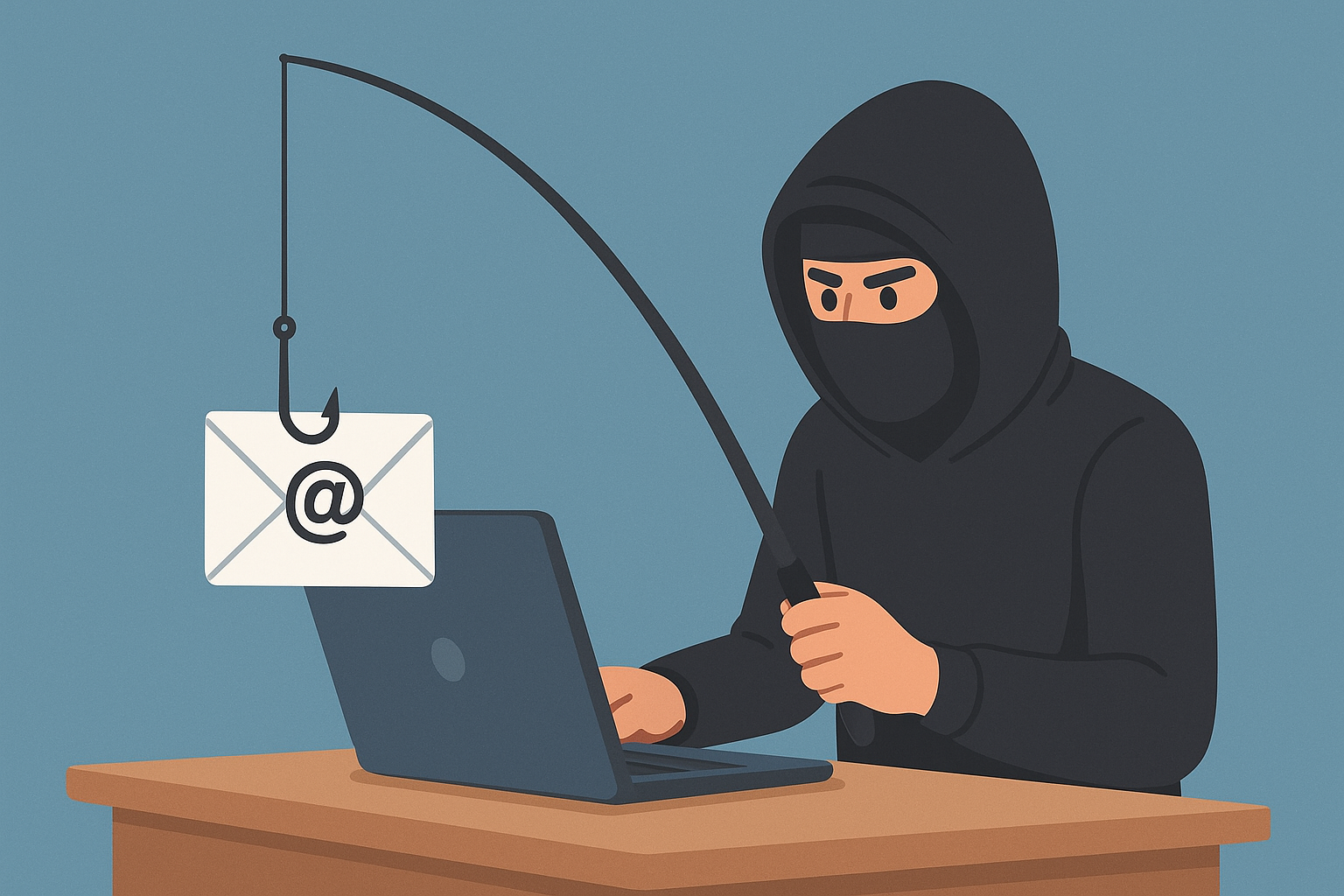
How to identify SCAM / Phishing Email Messages
Email remains one of the most widely used communication tools in both personal and professional settings. Unfortunately, it’s also one of the most common channels for cybercriminals attempting phishing attacks—fraudulent messages designed to trick you into sharing sensitive information, clicking malicious links, or downloading harmful attachments.
Understanding how to identify a phishing email is one of the most effective ways to protect yourself and your organization. Below are the most common red flags and best practices to stay safe.
Examples of Common Phishing Attempts
“Verify Your Account” Scam
These emails often claim:
-
Your account is locked or will be locked if you don’t verify your information
-
Your mailbox is full asking you to login to another system (not your email) to rectify the problem
-
You must confirm your identity in some way
Important:
Service providers generally do not ask for verification out of the blue—and reputable organizations never ask for passwords via email.
“Payment Failed” or “Invoice Attached”
Scammers send fake invoices or claim a payment was declined, prompting you to open an attachment or follow a link.
“Package Delivery Problems”
Fake FedEx, UPS, and USPS notices are extremely common. They often ask you to click a link to reschedule a delivery that never existed.
“Receipts for Products you didnt order”
Fake notices or receipts for products ordered on Amazon, Walmart, Ebay, etc. are extremely common. They often ask you to click a link or call a telephone number to inquire about the order.

1. Look Closely at the Sender’s Address
Cybercriminals often disguise their messages to appear legitimate. While the sender name may look familiar, the actual email address frequently reveals the scam.
Warning Signs:
-
Misspellings or odd variations (e.g.,
support@micros0ft.helpinstead ofsupport@microsoft.com) -
Public email domains for professional organizations (e.g.,
companyname@gmail.com) or any public email domain in general (@gmail.com, @yahoo.com, @outlook.com, etc) -
Domain names with added words such as “verify,” “security,” or “alerts”
Tip:
Always examine the full email address, not just the display name. An example is below.

2. Beware of Urgent or Threatening Language
Scammers rely on panic to push users into reacting without thinking.
Common Phrases:
-
“Your account will be suspended unless…”
-
“Immediate action required”
-
“Verify your account information now”
-
“Unusual login attempt detected”
Legitimate companies rarely demand urgent action without providing additional context—and they never threaten account closure via email alone. An example is below.

3. Generic or Incorrect Greetings
Phishing attempts often use impersonal greetings such as:
-
“Dear Customer”
-
“Dear User”
-
“Hello Member”
A company that does business with you typically uses your name. If the greeting feels off—or if your name is misspelled—treat the email with suspicion.
4. Unexpected Attachments or Links
If you receive an unexpected file or a link urging you to “check your invoice,” “review your account,” or “reset your password,” proceed carefully.
What to Watch For:
-
Attachments with
.pdf,.zip,.exe,.html, or macro-enabled Office files (.xlsm,.docm) -
Links that redirect to suspicious or misspelled domains
-
Hyperlinks where the display text does not match the actual URL (hover to check!)
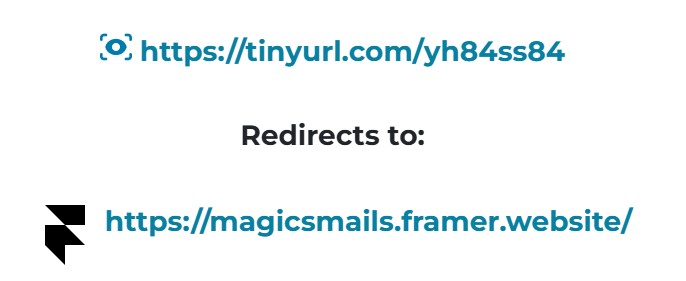
- Hyperlinks that use TinyURL’s instead of a clear readable domain. TIP: To view the actual source of a tinyurl – right click the link, select “copy hyperlink” and then paste it in your browser address bar, then add a “+” sign to the end of the URL. It will bring you to a page that will show you the real link URL but not take you to the website itself.
Never download attachments or click links unless you are certain the source is trustworthy!

5. Requests for Personal or Confidential Information
Legitimate companies do not ask you to verify sensitive details via email – EVER.
Phishing emails commonly request:
-
Passwords
-
Social security numbers
-
Bank account or credit card information
-
Login credentials
-
Two-factor authentication codes
If an email asks for information you’d normally keep private, it’s almost certainly a scam.
CGI-Communications will NEVER! ask for any of this information via an unsolicited email!
6. Poor Grammar, Misspellings, or Strange Formatting
While some phishing attempts are well-written, many contain noticeable errors.
Examples include:
-
Misspelled Words
-
Misplaced punctuation
-
Odd phrasing
-
Unusual spacing or fonts
-
Unprofessional layout
Legitimate companies typically proofread their communications (multiple times), so sloppy writing is often a dead giveaway.

7. Offers Too Good to Be True
If you’re suddenly told you’ve won a gift card, lottery, prize, refund you never requested, or inherited some ungodly sum of money from a Nigerian King —be cautious.
Scammers frequently lure victims with:
-
Free money
-
Free products
-
Unsolicited prizes
When something seems too good to be true, it usually is.
8. Mismatched Email Domains and Websites
Cybercriminals often create fake websites that look nearly identical to real ones.
Before clicking any link:
-
Hover to reveal the true destination
-
Check for misspellings or extra characters
-
Verify that the site uses
https://and a valid domain (although scammers will often acquire SSL certificates for sites nowadays – so even be wary of this)
If an email claims to be from a trusted organization, visit the company’s website manually instead of using email links or simply contact them via telephone and inquire about the message.

9. Verify With the Organization Directly
When in doubt, contact the company using a phone number or website you already know is legitimate.
Never respond directly to the suspicious email.
Most organizations—even banks, ISPs, and government agencies—will confirm whether they actually sent you a message.
You can always reach CGI-Communications directly in the following ways:
via Email at support@cgi-communication.com
via Telephone at (520) 421-3333 opt 2.
by creating a ticket in our customer portal.
Trusted References & Resources
These organizations provide reputable guidance on identifying and reporting phishing attempts:
-
Federal Trade Commission (FTC) – Consumer Alerts on phishing
-
Cybersecurity & Infrastructure Security Agency (CISA) – Phishing fact sheets and threat advisories
-
Anti-Phishing Working Group (APWG) – Global phishing trends and reporting
-
National Institute of Standards and Technology (NIST) – Cybersecurity best practices